Get the Simply Safe Dividends Mobile App on Your Smartphone
The Simply Safe Dividends website works on all phones.
Our app isn't in the Apple App Store or Google Play, but adding it is quick and easy. We'll show you how.
Visit the link below for instructions specific to your device:
https://2.simplysafedividends.com/pwa/install
Or follow the instructions below.
Our app isn't in the Apple App Store or Google Play, but adding it is quick and easy. We'll show you how.
Visit the link below for instructions specific to your device:
https://2.simplysafedividends.com/pwa/install
Or follow the instructions below.
For iPhone users...
1. Log into Simply Safe Dividends on your device using this link (Simply Safe Dividends should keep you logged in unless you explicitly log out).
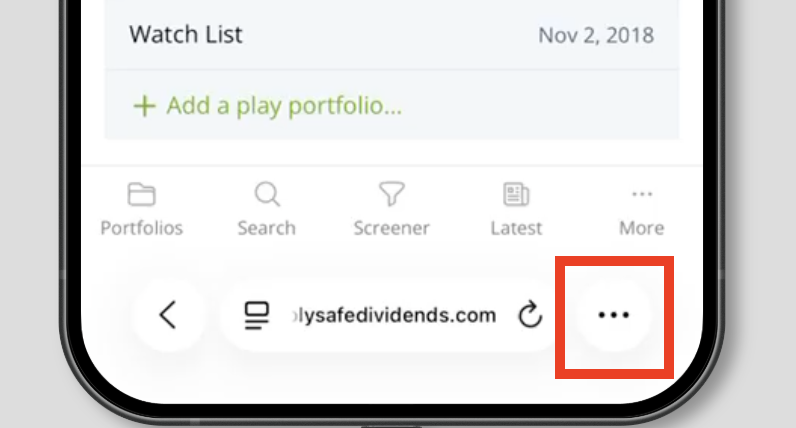
2. Next, tap the "..." menu next to the website address. Here's an example:
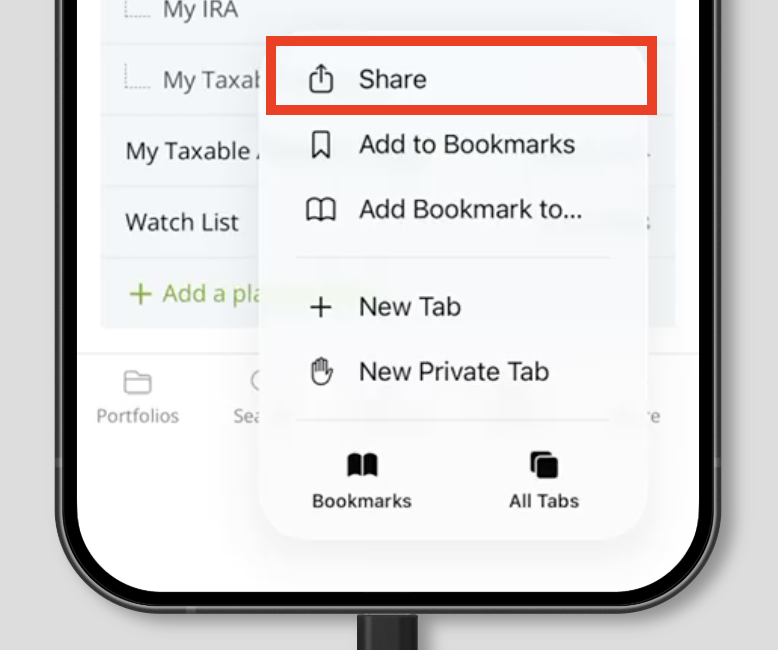
3. Then, tap Share:
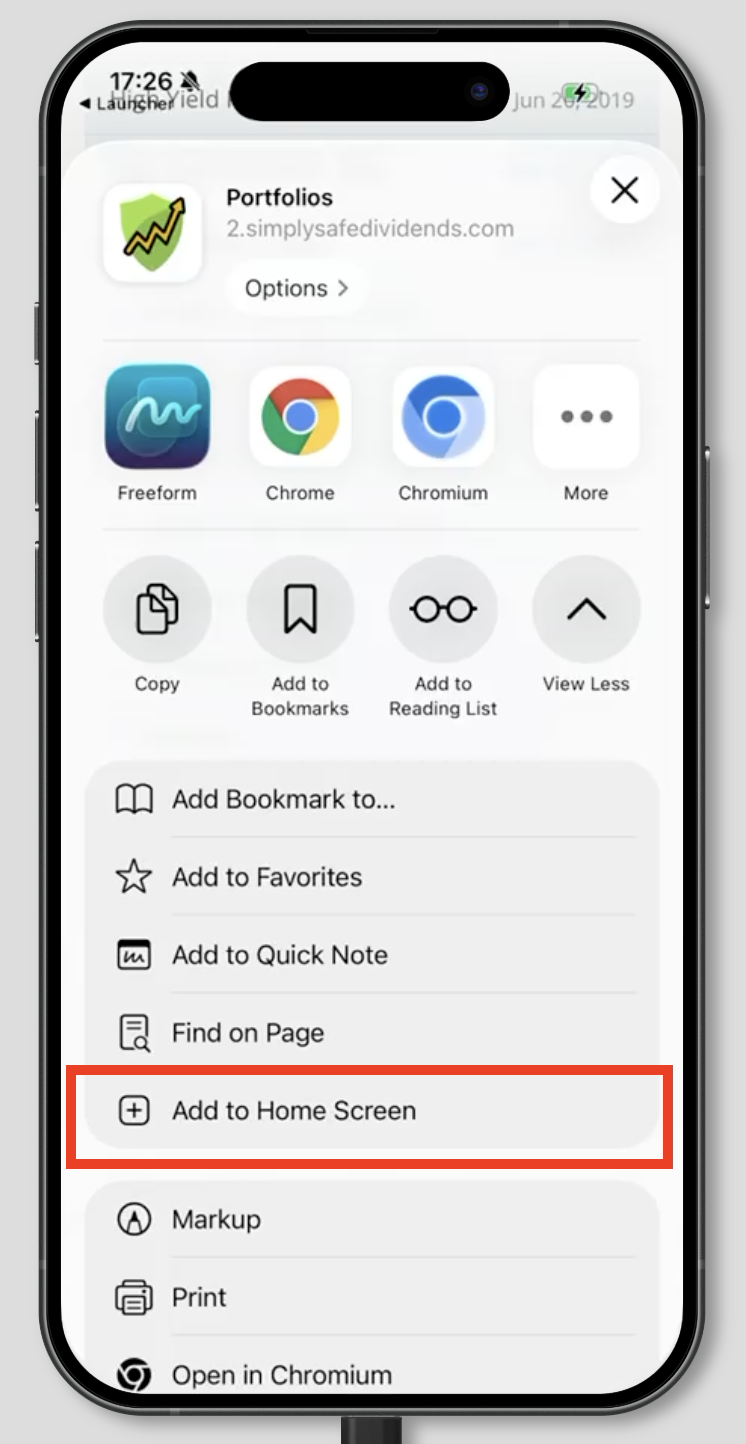
4. This will open up another pop up menu. Swipe up on the entire menu so that you see the option to "Add to Home Screen":
For Android users...
1. Log into Simply Safe Dividends on your device using this link (Simply Safe Dividends should keep you logged in unless you explicitly log out).
2. On a Chrome browser, tap the three-dot menu at the top-right corner of Chrome.
3. Click on the option to "Add to Home screen".

Still have questions? Shoot us an email and we will help walk through it with you.